
Choosing the right web hosting plan plays a major role in your website’s performance. The best plans deliver fast speeds, reliable uptime, and responsive customer support.
But as your website grows becoming more feature-rich and data-heavy your current hosting plan may no longer meet its demands. Ignoring the signs of strain can result in slower load times, frequent downtime, and frustrated visitors who may take their business elsewhere, often to faster, more reliable competitors.
If you’re running an online store with thousands of products or managing content-heavy pages, upgrading your hosting plan is one of the smartest ways to ensure your site remains fast and dependable.
You can upgrade your Web Hosting (cPanel) plan if your website requires additional processing power or memory. Moving to a higher package can improve your site’s speed and stability, especially during high-traffic periods. In this blog, we’ll walk you through how to recognize the signs that it’s time to upgrade your web hosting plan and how doing so can help your website thrive.
What Is Web Hosting?
Web hosting is a service where a provider allocates space on a server to store a website’s data, making it accessible online. It enables the website’s elements such as code, images, and other media to be viewed over the internet. Every website you visit is hosted on a server.
Web hosting companies supply the technology and infrastructure needed to keep your site running smoothly and securely. They manage server uptime, enforce security protocols, and ensure that content like text, images, and files is reliably delivered to users’ browsers.
How Does Web Hosting Work?
At its core, web hosting enables your website to be accessible on the internet. When a user enters your website’s URL into their browser, the following process takes place behind the scenes:
- A Request is Initiated: The browser sends a request to the server where your website is hosted. If your site uses a Content Delivery Network (CDN), the request may be routed through the CDN for faster delivery.
- Website Files are Retrieved: The server processes the request and gathers the necessary files such as HTML, CSS, images, and scripts to load the website.
- The Website is Displayed: These files are then sent back to the user's browser, which renders and displays your website.
However, it’s important to note that not all web hosting plans offer the same level of performance. Whether you're managing a personal blog, an eCommerce store, or a professional portfolio, your hosting plan directly impacts your website’s speed, security, and overall reliability.
Types of Web Hosting Plans
Before deciding whether an upgrade is necessary, it’s essential to understand the different types of web hosting available. Each option offers varying levels of performance, scalability, and control. Here’s a brief overview:
Shared Web Hosting
Best suited for small websites and beginners, shared hosting allows multiple websites to operate on a single server. It’s a cost-effective option, though it may come with limitations in terms of speed, storage, and overall performance due to shared resources.
WordPress Hosting
A step up from basic shared hosting, WordPress hosting is specifically optimized for WordPress websites. It offers improved performance, enhanced security features, and platform-specific support. Many providers include WordPress pre-installed, allowing users to get started quickly and efficiently.
VPS (Virtual Private Server) Hosting
VPS hosting bridges the gap between shared and dedicated hosting. It provides more control, flexibility, and allocated resources, making it ideal for growing websites with moderate to high traffic. This solution is scalable and well-suited for businesses expecting increased demand. However, smaller sites may still perform well on shared or WordPress hosting.
Dedicated Hosting
Designed for large-scale websites or those with consistently high traffic, dedicated hosting provides an entire physical server exclusively for your website. This offers maximum performance, control, and customization though it comes at a higher cost and is typically suited for enterprise-level operations.
The Advantages of Upgrading Your Web Hosting Plan
Upgrading to a higher-tier hosting plan brings a range of immediate and long-term benefits that can significantly enhance your website's performance, security, and overall user experience. Here’s what you can expect:
1. Enhanced Website Performance
With access to faster servers and greater resources, upgraded hosting plans dramatically improve load times. This not only enhances the user experience but can also contribute to better search engine rankings.
2. Improved Security
Premium hosting plans typically include advanced security features such as DDoS protection, malware scanning, firewalls, and SSL certificates—providing stronger safeguards for your website and your visitors’ data.
3. Higher Uptime and Reliability
Top-tier providers, like HostPapa, often guarantee 99.9% uptime or better. This ensures your website remains online and accessible to users, minimizing potential revenue loss from unexpected downtime.
4. Greater Scalability
As your website grows or experiences spikes in traffic, upgraded plans can accommodate the increased demand without sacrificing performance making them ideal for expanding businesses and content-rich platforms.
5. Access to Advanced Tools and Features
Upgraded plans often come with powerful tools such as automatic backups, one-click installations, staging environments, and advanced caching. These features simplify website management and support smoother development workflows.
6. Priority Customer Support
Higher-level plans usually include faster, more responsive customer support often with 24/7 access to expert technicians. This ensures quicker resolutions to technical issues, allowing you to stay focused on your business.
Step by Step guide on to Upgrade or Downgrade Your Hosting Plan on MokoHost
Step 1: Log into Your MokoHost Client Area
- Visit https://mokohost.com.
- Click Client Login at the top right.
- Enter your email and password to access your dashboard.
Step 2: Navigate to Your Hosting Services
- Once logged in, click on “Services” from the main dashboard menu.
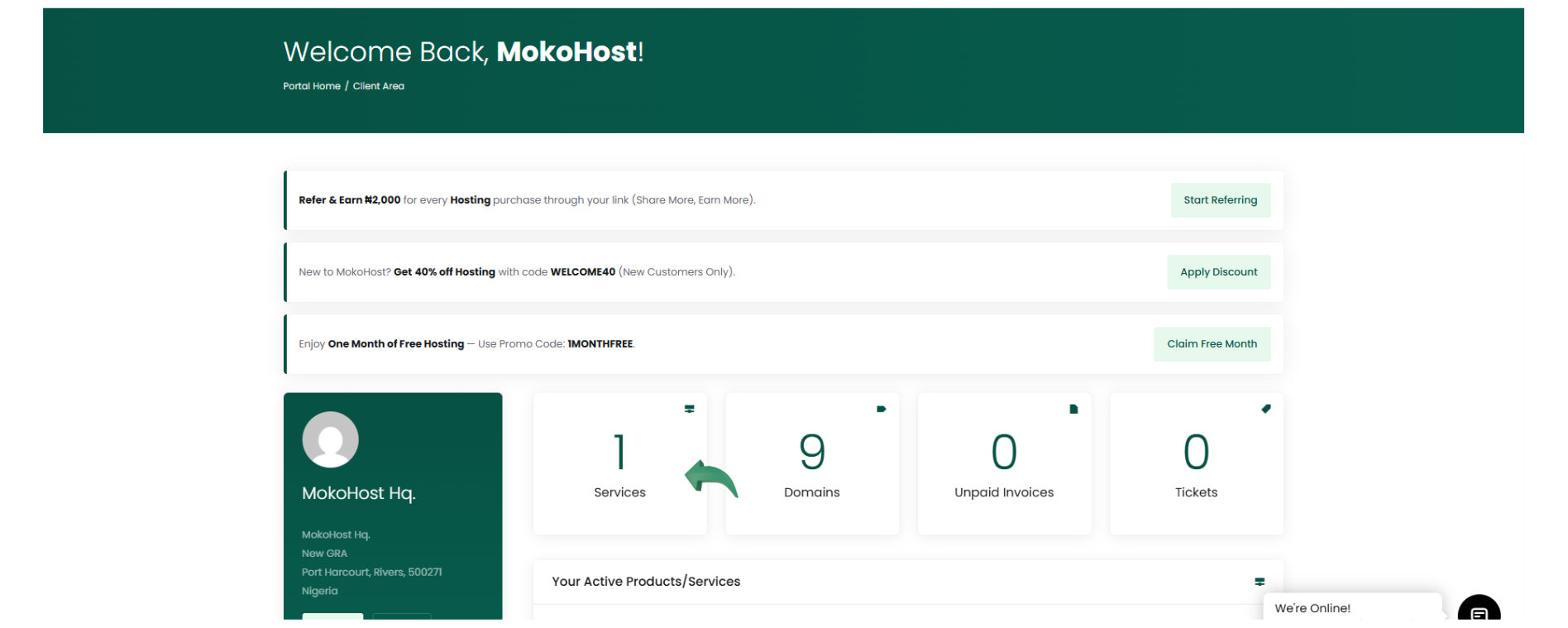
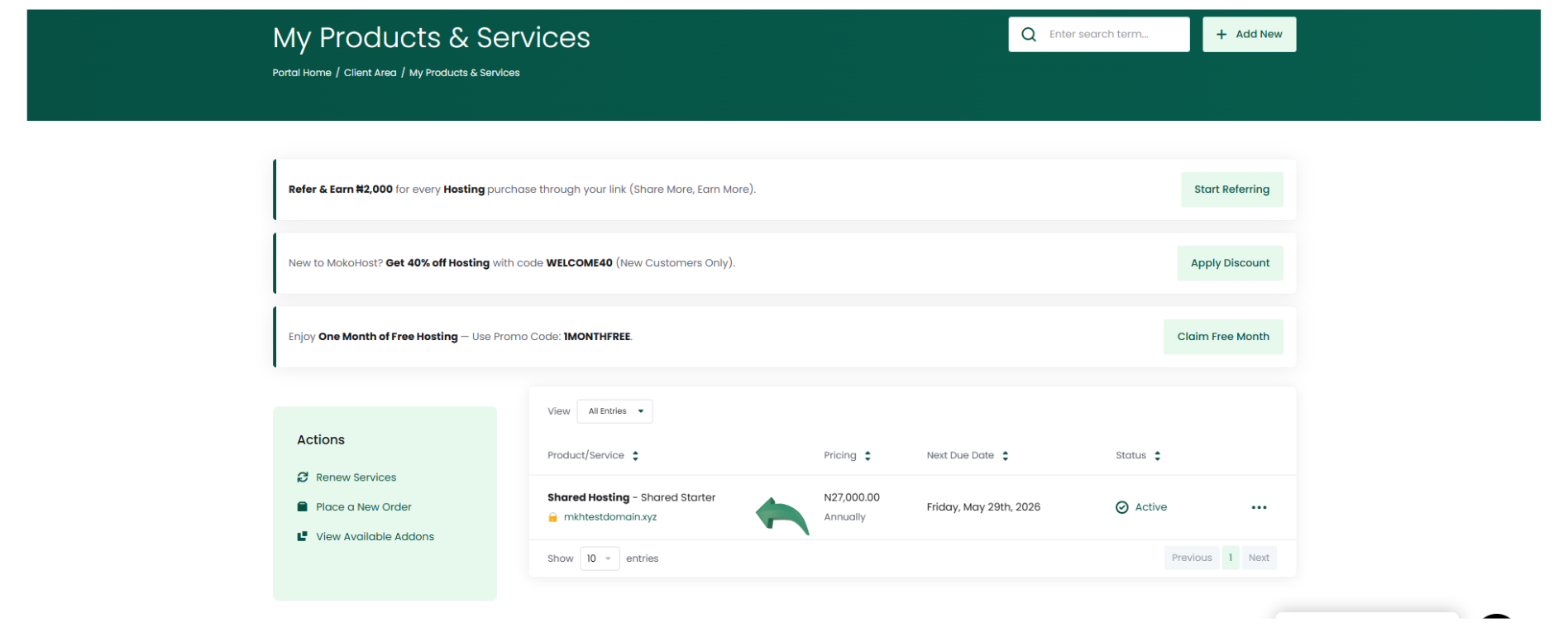
- Select “My Services” to view all your active hosting plans.
- Click on the specific hosting service you want to upgrade or downgrade.
Step 3: Choose Upgrade/Downgrade Options
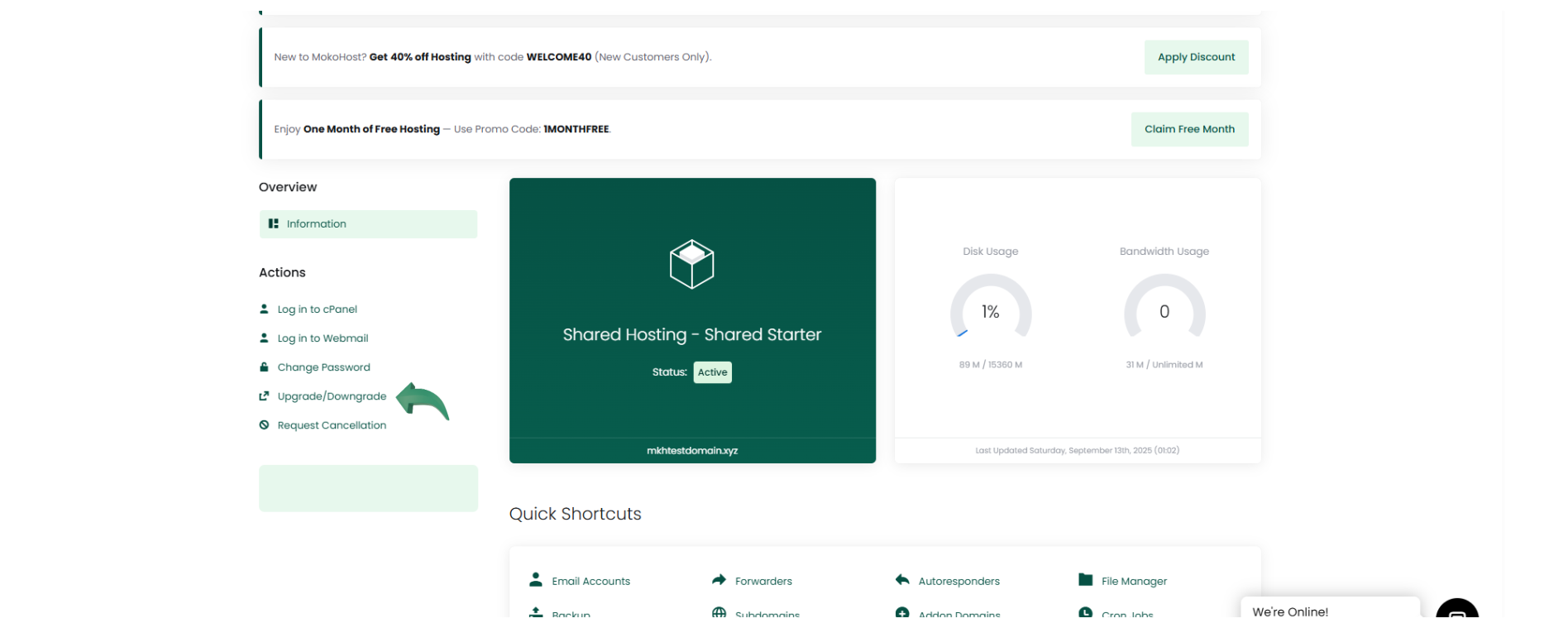
- On the hosting details page, look for the “Upgrade/Downgrade” button (usually found in the sidebar or under the “Actions” tab).
- Click “Upgrade/Downgrade Package.”
Step 4: Select a New Plan
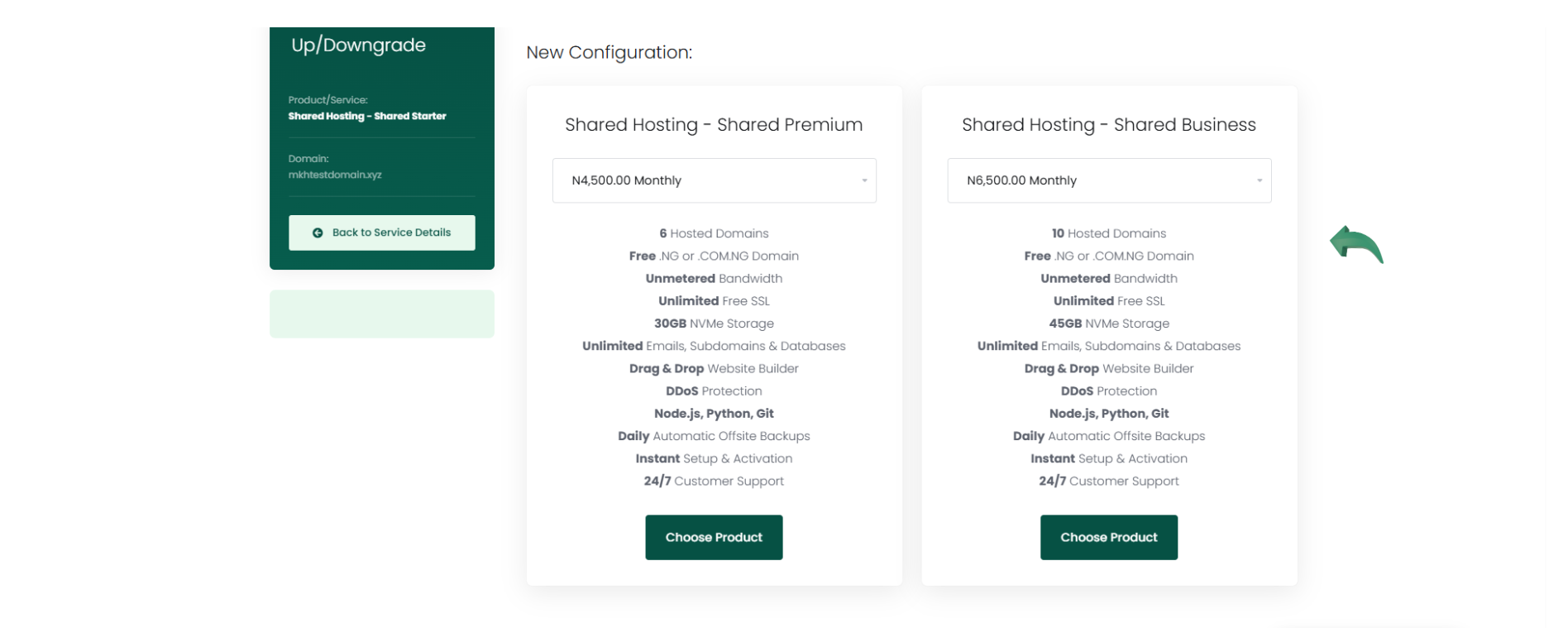
- You’ll be shown a list of available hosting plans.
- Compare features and pricing, then select the plan you want to switch to.
- If you're upgrading, you may need to pay the difference.
- If you're downgrading, a credit may be applied to your account depending on MokoHost’s policy.
Step 5: Review and Confirm
- Review the changes and pricing breakdown.
- Click “Continue” to proceed to the payment or confirmation page.
- Complete any required payment, if applicable.
Step 6: Wait for Confirmation
- Once the upgrade or downgrade is processed, you’ll receive a confirmation email.
- Most changes are applied instantly or within a few minutes.
- Your website will remain online during the transition in most cases.
Conclusion
Your choice of web hosting plays a critical role in the performance and growth of your website. If you're facing slow load times, frequent downtime, or have outgrown your current plan's resources, it may be time to consider an upgrade. Don’t let inadequate hosting limit your online success.
At MokoHost, we provide fast, secure, and scalable web hosting solutions designed to grow with your business. With 99.9% uptime, expert 24/7 support, and robust performance, our hosting plans ensure your website stays online, loads quickly, and runs efficiently whether you’re managing a personal blog, an eCommerce store, or a high-traffic platform.